Best Affiliate Marketing ProgramsHow to Join the Walmart Affiliate Program: 6 Steps for Beginners
How to Join the Walmart Affiliate Program: 6 Steps for Beginners

The short answer
The Walmart affiliate program lets you earn a commission when someone buys a product on Walmart.com after clicking your link. You apply through the Walmart affiliate site, usually with a website, blog, or social channel that has an audience. Standard commissions are typically in the range of 1% to 4%, depending on the product category, and payouts happen once you reach the minimum threshold.
Some links on this site are affiliate links: if you buy through one, the site may earn a commission at no extra cost to you. More about this.
By the end of this guide, you will know exactly what to prepare before you apply, how the approval step works, and what to do once you are in. You will also have a realistic sense of what your first months might look like.
Here is what this guide covers:
- Eligibility basics: what Walmart expects from a site or channel before it accepts an application.
- The application steps: what to fill in, where to find each field, and what to avoid writing.
- How commissions work: why rates vary by category and what that means for the products you choose to promote.
- Payout rules: how the minimum threshold works and how payments reach you.
- What to expect as a beginner: how long approval and first earnings tend to take, and what can slow things down.
Most beginners give up on affiliate programs because the rules are scattered and the claims online are inconsistent. This guide puts the steps in order and says plainly where the details can change, so you know what to check on the program's own pages before you commit time to it.
Joining is not hard. The harder part is knowing whether a program fits what you have to offer, and that is the question we start with.
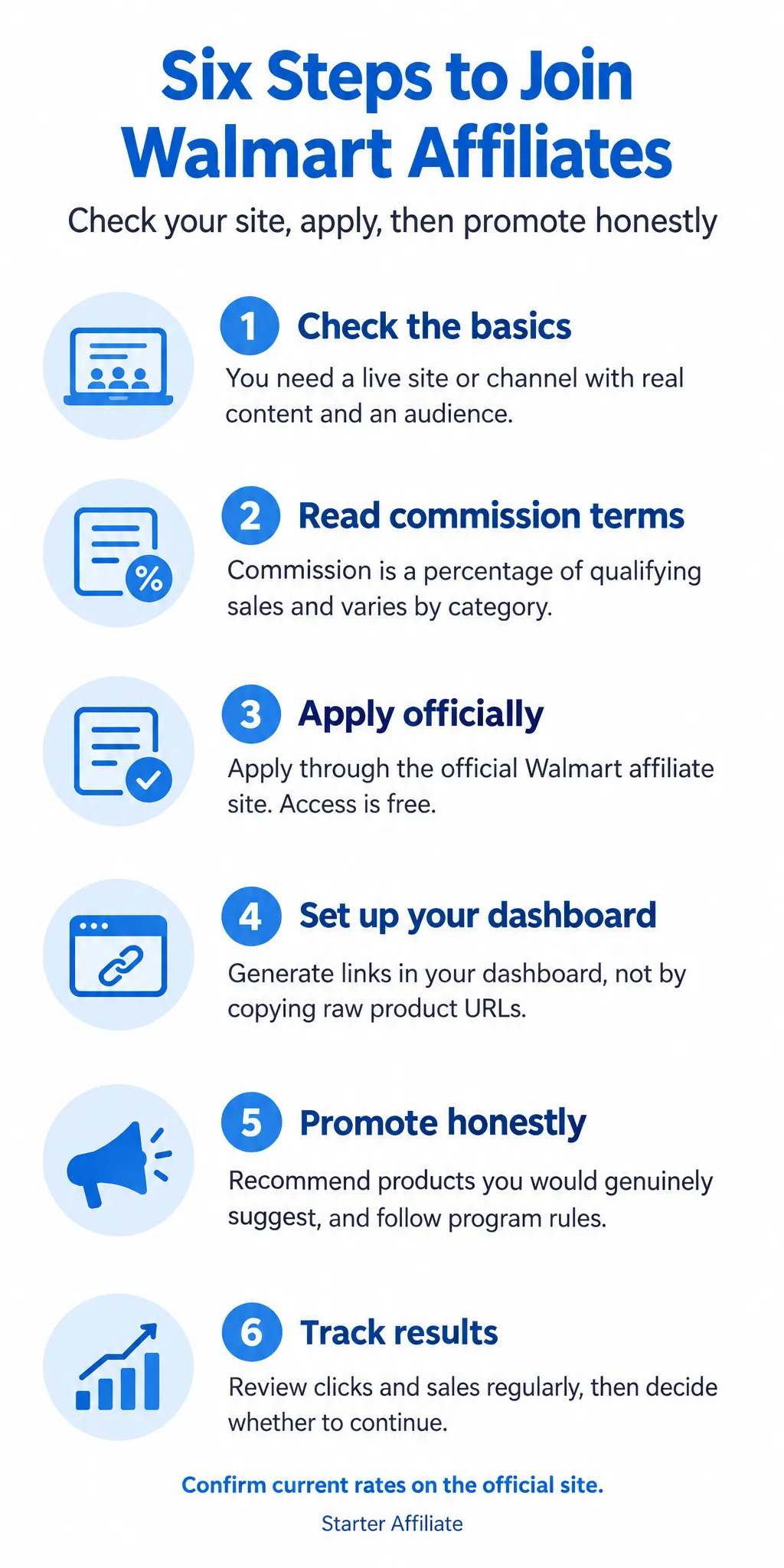
Quick overview of the six steps
| Step | What you do |
|---|---|
| Step 1 | Confirm your site or channel meets the basics |
| Step 2 | Read commission rates and the cookie window |
| Step 3 | Apply through the official Walmart affiliate site |
| Step 4 | Set up your dashboard and generate links |
| Step 5 | Promote honestly and follow the rules |
| Step 6 | Track results and decide whether to continue |
Step 1: Check You Meet the Basics
Before you fill in any application, take an honest look at what you have. The Walmart affiliate program approves people who already run a site, blog, or social channel with real content and an audience. It does not approve people who only plan to start one.
Walmart wants to see that the products you promote fit the people who read or follow you. A site about gardening that suddenly reviews electronics will look like a poor match. A site with a few posts and no visitors will also struggle at approval, because there is nothing for Walmart to judge beyond the pages themselves.
Ask yourself these questions:
- Do I have a live website, blog, or social profile that anyone can visit right now?
- Is there original content on it, not just copied or placeholder text?
- Do I have a real audience, even a small one, that matches the kinds of products I would recommend?
- Can I point to specific pages or posts that show what my site is about?
For example, if you run a blog about family meals with 30 posts and a steady stream of readers, you have a clear fit with kitchen and grocery products. If you have an empty site with one post and no traffic, you should build content first and apply later.
Be honest with yourself about where you stand. Note that the program's exact criteria can change, so check the current requirements on the official Walmart affiliate page before you apply.
Step 2: Read the Commission and Cookie Terms
Before you apply, read how the money works. Walmart pays you a percentage of each qualifying sale. It does not pay a flat fee for each click, so a visitor who clicks your link and buys nothing earns you nothing.
Commission rates vary by product category. A rate might be higher on one type of product and lower on another. Look up the current rates on the official affiliate program page rather than relying on an old figure from a forum or a blog post, because rates can change.
Next, check the cookie window. This is the length of time after someone clicks your link during which a purchase still counts toward your earnings. The length is set by the program, so confirm the current figure on the official site. Keep in mind that a shorter window means a buyer has less time to purchase after clicking.
Work out a sample earnings figure yourself. Use this simple formula:
- Order value × category commission rate = your commission on that sale
For example, say a customer buys a $100 item in a category that pays 4 percent. Your commission would be $100 × 0.04 = $4. Try a few realistic order values and rates to see what your site could plausibly earn.
[screenshot: the commission rate table on the Walmart affiliate program page, showing category rates]
Checklist before you move on:
- Note the commission rate for the categories you plan to promote
- Note the cookie window length and the date you checked it
- Write down one sample earnings calculation
Once you know how the numbers work, you can decide whether the program fits the products and content on your website.
Step 3: Apply Through the Official Walmart Affiliate Site
Go straight to the official Walmart affiliate website to apply. Do not pay anyone who offers to get you into the Walmart affiliate program. Legitimate access costs nothing, and anyone asking for a fee to submit your application is not someone you need.
Before you start, gather what you need:
- The URL of your website, blog, or social profile
- A short, honest description of what your content covers
- Who your audience is (age range, interests, location if relevant)
- How you plan to share links, such as in articles, reviews, or videos
Then complete the form:
- Open the official Walmart affiliate sign-up page and select "Apply."
- Enter your website URL and a clear description of your site.
- Describe your audience in plain terms. For example: "A blog about budget cooking for busy parents, mostly readers in the US who search for weeknight recipes."
- Name the ways you will promote products.
- Review your answers, then submit.
[screenshot: the official application form with the website, description and audience fields visible]
Vague or misleading applications are a common reason for rejection. "A site about lots of things" or a site with little content will often fail. Be accurate, even if your site is new. A small site with a clear focus is a better application than a large claim you cannot back up.
Approval timing varies. Check your email and your affiliate dashboard for the outcome, and avoid reapplying while you wait.
Common application mistakes and why they matter
| Option | Pros | Cons |
|---|---|---|
| Honest, focused description | Matches what Walmart can see on your site | Not stated |
| Vague "site about lots of things" | Not stated | Often leads to rejection |
| Paying someone to get you in | Not stated | Access is free, so the fee is unnecessary |
Step 4: Set Up Your Dashboard and Tools
Once Walmart approves your application, you get access to your affiliate dashboard. This is where you create every link you will use, so spend a little time here before you publish anything.
The dashboard typically gives you three things:
- Product links you can generate for individual items
- Banners and creative you can place on your site or social posts
- Reports that show clicks and sales tied to your account
[screenshot: the affiliate dashboard home page with the links, banners, and reports menu visible]
Use the links the dashboard generates. Do not copy the raw product URL from your browser. A plain product address does not carry your affiliate tracking, so a sale that follows that click may not earn you a commission. A link generated through your account does.
For example, say you want to recommend a kitchen blender. Search for it in the dashboard's link tool, paste the product page URL, and generate your link. Place that link in your blog post. If a reader buys the blender, the sale is credited to you.
Check your reports every week or two. Look at which pages send clicks and which of those clicks turn into sales. A page with lots of clicks and no sales may need a clearer recommendation, and a page that drives sales is worth updating and linking to more often.
Step 5: Promote Products Honestly and Within the Rules
Once you have access to your links, the way you use them matters as much as the links themselves. Readers can tell when a recommendation is made to earn a commission rather than to help them. Start from the reader's problem, then find the product that solves it.
Recommend products you would genuinely point a friend toward. If you would not buy it or suggest it to someone you know, skip it. A few well-chosen products usually work better than a long list of loosely related ones.
Make sure the link fits the content. A link to a blender belongs in a post about smoothies, not in a post about hiking boots. Place it where the reader is already thinking about buying, such as in a product comparison or a "what I use" section.
Follow Walmart's rules. Before you publish anything, check the current affiliate policy in your affiliate dashboard. Pay attention to:
- Disclosure: Tell readers clearly that you earn from qualifying purchases, and place the disclosure near your links.
- Prohibited tactics: Do not bid on Walmart brand terms in paid search, and do not use misleading claims, fake urgency, or coupons you cannot back up.
Policies change, so reread them every few months. Rules you skipped at the start can cost you your account later.
Review older posts too. Walmart products go out of stock, get discontinued, or change URLs. Broken or expired links lose you sales, so check your older posts every few months and replace any dead links.
[screenshot: the Walmart affiliate dashboard policy page, with the disclosure and prohibited-terms sections visible]
Step 6: Plan Your First Few Weeks and Decide Whether to Continue
Once your Walmart affiliate program account is approved and your links are live, set a test window before you judge the results. Most beginners expect sales too soon. A new website with little traffic will likely see few or no sales at first, and that is normal. Plan for slow early weeks so a quiet start does not make you quit or chase the wrong fixes.
Your first job is to track the numbers every week. Open the affiliate dashboard and log these in a simple spreadsheet:
- Clicks on your links
- Sales made through those links
- Commissions earned, and the status of each one
Example: say you publish three product reviews in week one. In week two you note 40 clicks, zero sales, and no commission. That tells you the content is getting some attention but not yet converting. In week four, if you see 120 clicks and two sales, you have a pattern to act on. Judge the program on that data, not on hope or on what someone else earned.
Next, check the payout rules on the official Walmart affiliate program site. Find the minimum payout threshold, the payment schedule, and the payment methods. Write those down next to your spreadsheet, so you know exactly when money can be withdrawn.
[screenshot: the payout or payment section of the official program dashboard, with the threshold and schedule visible]
At the end of your test window, decide. Keep going if clicks are growing and sales are slowly appearing. Stop or rethink if, after a fair period, the numbers stay flat and your audience shows no interest.
Frequently asked questions
How much does Walmart affiliate pay?
Walmart pays a commission on each qualifying sale made through your affiliate link, and the rate depends on the product category. Rates are set by Walmart and can change, so check the current commission table in your affiliate dashboard before you plan any income. Payments are made once you reach the minimum payout threshold.
What are the requirements to be a Walmart affiliate?
You need a website, blog, or social channel where you publish content that recommends products. Walmart reviews each application before approving it, so the site should be live, original, and follow the program's content rules. You also need to provide accurate contact and payment details to join.
What is the highest paying affiliate program?
The highest paying program depends on what you promote, and the top headline rate is not always the best choice. Some programs pay large commissions on low-volume products, while others pay small amounts on items people buy often. Compare the commission, the cookie length, and how often people actually buy the products you would recommend.
Is it hard to become a Walmart affiliate?
The application itself is not difficult if you have a working site with real content. Most rejections come from sites that look empty, copy content from elsewhere, or do not clearly fit the program's rules. Build a few useful pages first, then apply, so the reviewer can see what you publish.
How long does it take to earn a first Walmart affiliate commission?
There is no fixed timeline, because it depends on how much traffic your site gets and how well your recommendations match what people want to buy. Some beginners see a first sale within weeks, while others wait much longer. Plan for slow early results and focus on publishing helpful content in the meantime.
Conclusion
Joining the Walmart affiliate program is a short process once your site is ready.
Which step will you try first: choosing your niche, checking the requirements, or submitting your application?
If you start with the requirements and your content, the rest tends to follow in order.
When you are ready to begin, Visit the official site to read the current terms and apply.